
Features, Benefits, and Pros & Cons
A Complete Guide to Choosing the Right Integration Approach
Last year, I spent three weeks troubleshooting a Greenhouse-Workday integration that should have taken three days.
The client had implemented a Workday Studio integration two years earlier, but nobody documented the custom transformation mappings. When they needed to add a new compensation field, their original developer had left, and the new team couldn’t figure out how the integration logic worked.
We eventually untangled it, but not before the recruiting team spent weeks manually reconciling data between systems and Finance questioned every headcount number in the quarterly report.
That experience reminded me why integration decisions matter so much. The choice you make today will determine whether your teams spend their time hiring great people or debugging data discrepancies.
After helping 40+ organizations navigate Workday integrations, including dozens of ATS connections, I’ve learned that there’s no universally “best” option. But there is a best option for your specific situation, and this guide will help you find it.
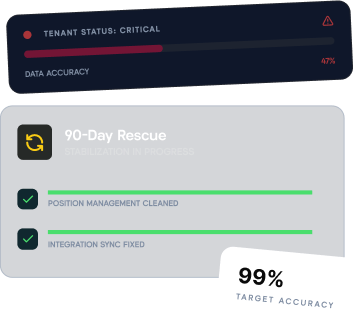
Integration choices only hold up on a solid foundation. See Workday position management best practices first.
The Integration Challenge: Why This Matters
Ever found yourself trying to explain to Finance why your headcount numbers in Workday don’t match what your recruiters see in Greenhouse?
It’s a frustrating disconnect that’s a common symptom of integration challenges between the two systems. Workday excels at position management and general HCM processes. Greenhouse streamlines your recruitment process.
But getting them to work together seamlessly? That can be surprisingly complex.
According to industry research, organizations with poorly integrated HR systems spend 30% more time on manual data reconciliation than those with well-designed integrations.
Currently, organizations have three main options:
-
Workday Studio - The fully customizable approach
-
Greenhouse HRIS Link - The streamlined outbound solution
-
Kinnect - The comprehensive position management platform
Let’s examine each option in detail.
How Workday and Greenhouse Integrations Work
Before we get into the specifics, let’s break down what actually happens when Workday and Greenhouse communicate.
The End-to-End Data Flow:
Step 1: Position Creation: Create position in Workday to establish headcount
Step 2: Job Requisition: Initiate req process, marry position data with recruiting needs
Step 3: Data to Greenhouse: Send position, compensation, manager info to Greenhouse
Step 4: Recruiting: Recruiters manage candidate pipeline in Greenhouse
Step 5: Offer Creation: Create offer in Greenhouse with position and candidate details
Step 6: Data to Workday: Send candidate and offer data back to complete hiring
Key insight: Different integration options handle these steps differently, and some don’t handle all of them at all, so your position model and approval design decides which ones you can actually use.
Option 1: Workday Studio
The Customizable Integration Framework
Workday Studio is the most sophisticated integration type, designed to handle complex data flows that require extensive customization. Think of it as your integration command center.
How It Works:
Studio allows developers to build custom integrations that handle both outbound data (Workday to Greenhouse) and inbound data (Greenhouse to Workday). This involves:
-
Creating specific reports (Report-As-A-Service, or RaaS reports)
-
Building transformation files to format the data properly
-
Establishing detailed mapping between the two systems
Pros
Maximum customization: Complete control over data flows, tailored to your exact business requirements.
Full bidirectional capability: Handles both outbound and inbound data flows in one cohesive solution.
Cons
High implementation costs: Specialized developers at ~$200/hour, ~$50,000 upfront, ~$10,000 annual maintenance.
Requires technical expertise: You need Workday Studio-certified developers who understand ATS integrations.
Limited flexibility for updates: Each modification requires a developer to update the integration code.
Cost Summary: Workday Studio
• Implementation: $50,000+
• Annual Maintenance: $10,000+
• Developer Rate: ~$200/hour
• Timeline: 8-12 weeks
Option 2: HRIS Link
The Greenhouse Solution
Greenhouse’s HRIS Link takes a streamlined approach, offering a pre-built solution specifically designed to handle outbound data flow from Workday to Greenhouse.
Notable Features:
• Automated 15-minute sync intervals
• Built-in data mapping templates
• Customer-controlled report modifications
• Built-in error handling and notification system
Pros
Simplified field management: Administrators can modify mappings without developer intervention.
Semi-automated integration: Pre-built framework reduces implementation complexity.
Cons
Partial integration: Only handles outbound (Workday to Greenhouse). You’ll still need Studio for inbound.
Position management constraints: Recruiters still need to manage job requisitions in Workday.
Data reconciliation challenges: Discrepancies can arise with 15-minute sync intervals.
Cost Summary: HRIS Link
• Implementation: $15,000-$25,000
• Annual Maintenance: $5,000-$10,000
• Additional Studio (Inbound): $25,000+
• Timeline: 4-6 weeksIMPORTANT: HRIS Link alone doesn’t complete the integration. Factor in Studio development for inbound data flow.
Option 3: Kinnect
The Comprehensive Position Management Solution
Kinnect, our comprehensive headcount management software, offers a fresh approach by reimagining how Workday and Greenhouse can work together. We’ve solved position and headcount management for Workday customers.
Key Benefits
Greenhouse integration: Direct point-to-point integration with any ATS
Workday integration: Ingests all data types and keeps systems reconciled
Simplified integration: Map fields in minutes rather than weeks
Built-in automation: Automatic data synchronization and field updates
Unified headcount system: Single source of truth for position data
Enhanced recruiter experience: Less context-switching, more hiring
Side-by-Side Comparison
| Category | Studio | HRIS Link | Kinnect |
|---|---|---|---|
| Bidirectional Integration | ✅ Full | ⚠️ Outbound only | ✅ Full |
| Implementation Time | 8-12 weeks | 4-6 weeks | 2-4 weeks |
| Upfront Cost | $50,000+ | $15,000-$25,000* | Contact |
| Technical Expertise | High | Medium | Low |
| Admin Self-Service | Limited | Moderate | High |
| Data Reconciliation | Manual | Semi-automated | Automated |
Finding the Best Solution for Your Organization
Choose Workday Studio if:
• You need highly customized workflows
• You have strong technical resources or budget for ongoing support
• You require complex data transformations
Choose HRIS Link if:
• You’re looking for simpler outbound integration
• You don’t mind maintaining Studio for inbound processes
• You want faster time-to-value for basic integration
Choose Kinnect if:
• You want to simplify position and headcount management entirely
• You need seamless bidirectional integration without complex development
• Recruiter experience and workflow simplicity are priorities